

For years Universal Analytics (UA) It was the standard for analyzing web traffic and user behavior. Marketers and business owners relied on it to measure the results of their advertising campaigns and optimize their online presence.
But the digital landscape has changed. Consumers now use a variety of devices and platforms—websites, mobile apps, and smart devices. That is precisely why Google Analytics 4 (GA4) – Google's next-generation analytics platform.
In this article from super5 You'll find out:
- What Is Google Analytics 4
- What are the differences between GA4 and Universal Analytics?
- Why the transition to GA4 is mandatory
- How to Use GA4 to Optimize Your Digital Marketing
What is Google Analytics 4?
Google Analytics 4 is the latest version of Google's analytics platform, designed to measure and analyze data from both websites and mobile apps simultaneously.
GA4 is:
- Cross-platform solution (web + mobile apps)
- Event-based tracking
- Powered by machine learning
- More flexible and customizable
- Prepared for a cookieless future
Unlike Universal Analytics, GA4 isn't just an update—it's an entirely new architecture for data measurement and processing.
Google Analytics 4 vs. Universal Analytics – What Has Changed?
Universal Analytics was built primarily around sessions and page views. GA4 completely changes the way data is collected and analyzed.
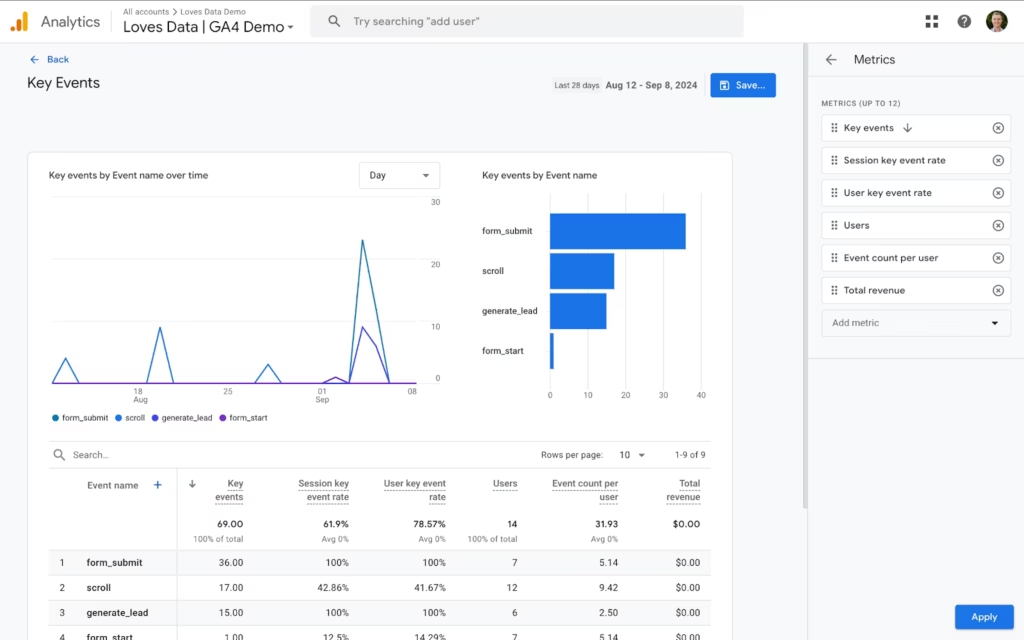
1. Event-Based Tracking
In Universal Analytics, the primary metric was the session.
In GA4, everything is an event.
Examples:
- Scroll to 90% on the page
- Click the button
- Download a file
- Add to Cart
- Purchase Complete
This means:
✔️ More accurate behavioral analysis
✔️ A better understanding of the user experience
✔️ More accurate measurement of micro-conversions
2. Predictive Analysis Using Machine Learning
GA4 uses machine learning to predict:
- Probability of Purchase
- Churn Rate
- Expected revenue per user
This allows:
- Smarter Trailer Management
- Optimization of Advertising Budgets
- Custom Audiences
3. Better integration with advertising platforms
GA4 integrates directly with:
- Google Ads
- Google BigQuery
You can:
- Export raw data
- You analyze them using SQL
- Create expanded audiences
- Optimize campaigns in real time
4. Advanced personalization and custom reports
GA4 offers:
- Creating Complex Custom Events
- Up to 50 personalized insights
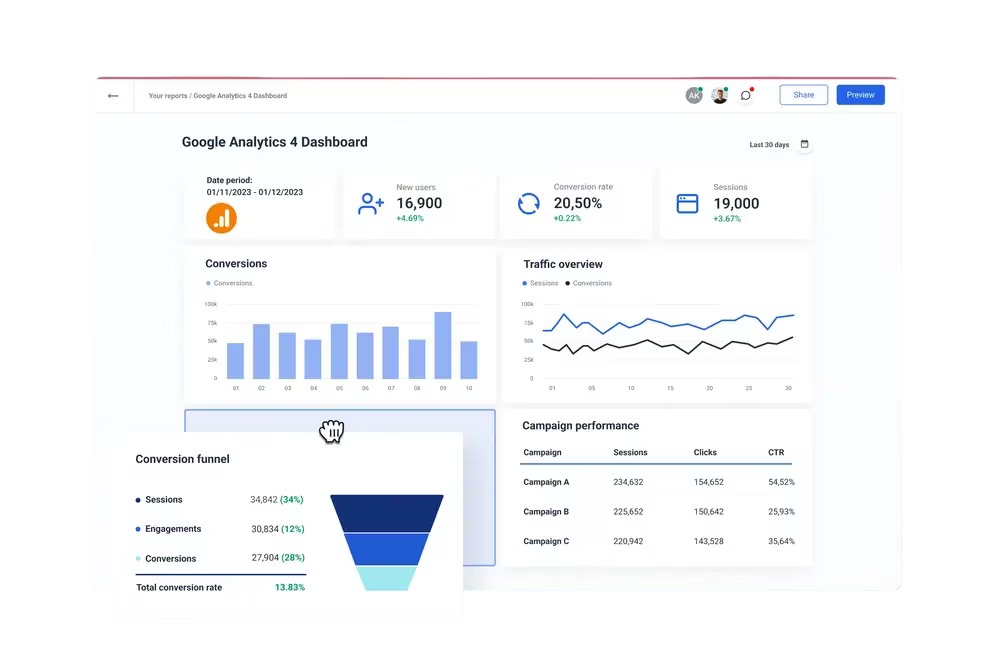
- Custom dashboards
- Filters and Secondary Dimensions
- Flexible time ranges
This provides complete control over data analysis.
5. Enhanced Measurement – Automatic Tracking
GA4 automatically tracks:
- Filling Out Forms
- Video views
- File Downloads
- Scrolling
- Clicks on external links
No additional code is needed.
Is switching to GA4 mandatory?
The short answer: Yes.
Google has officially discontinued support for Universal Analytics. Data in UA is no longer actively collected.
Important:
Data from Universal Analytics CANNOT be transferred to GA4.
That is why the experts from super5 recommend:
- Install GA4 as soon as possible
- Start building a historical data set
- Set up events and conversions correctly
How do you set up Google Analytics 4?
You have three options:
A new website or a new project
- Create a new GA4 account
- Add a Data Stream (Web, iOS, or Android)
- Install Google Tag
Migration from Universal Analytics
- You are using the GA4 Setup Assistant
- You are linking the new property
- Check that it is installed correctly
Integration with CMS platforms
GA4 can be integrated with:
- WordPress
- Shopify
- Wix
- Magento
- Squarespace
In most cases, installation takes a few minutes.
How to Use GA4 to Optimize Digital Marketing?
1. Creating Audiences Based on Behavior
You can segment users who:
- You have added an item to your cart
- They canceled an order
- They watched a video
- They have filled out a form
- They have read a blog post
This allows for more precise retargeting.
2. Measuring Micro-Conversions
Micro-conversions are the small actions that take place before a purchase:
- Download Brochure
- Registration
- Watching a video
- Add to Wish List
GA4 allows any event to be marked as a conversion and even assigned a monetary value.
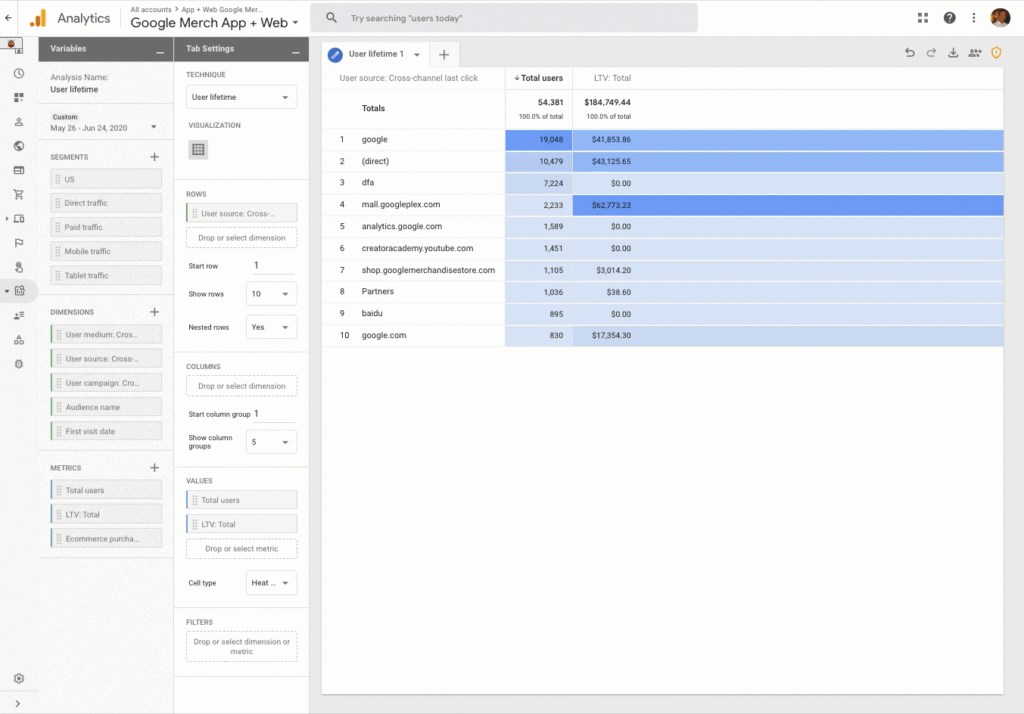
3. Custom Reports and Customer Journey Analysis
GA4 offers:
- Life Cycle Reports
- Acquisition Analysis
- Device-Specific Behavior
- Retention Analysis
- Funnel Analysis
You can track the entire journey from the first visit to the purchase.
Why choose super5 for setting up Google Analytics 4?
Setting up GA4 is not just a technical installation. To get real value out of it, you need to:
- Properly Defining Events
- Setting Up Conversions
- Connecting to Google Ads
- Configuring eCommerce Tracking
- Creating a Custom Dashboard
- Analysis and Strategic Recommendations
The team at super5 offers:
Complete Setup of Google Analytics 4
Migration from Universal Analytics
Integration with Advertising Platforms
Strategic Data Analysis
Marketing Campaign Optimization
Conclusion: Why Is GA4 the Future of Web Analytics?
Google Analytics 4 isn't just a new version—it's a new standard in measuring user behavior.
With its:
- Event-based model
- Machine Learning Analysis
- Predictive Metrics
- Advanced Integrations
- Flexible Reports
GA4 gives any business that wants to make data-driven decisions a competitive advantage.
If you haven't switched to GA4 yet, now is the perfect time.
Contact super5 and build a solid analytical foundation for your business's growth.